
Driver-to-Driver Communication: CB Radios
Written by Staff Writer
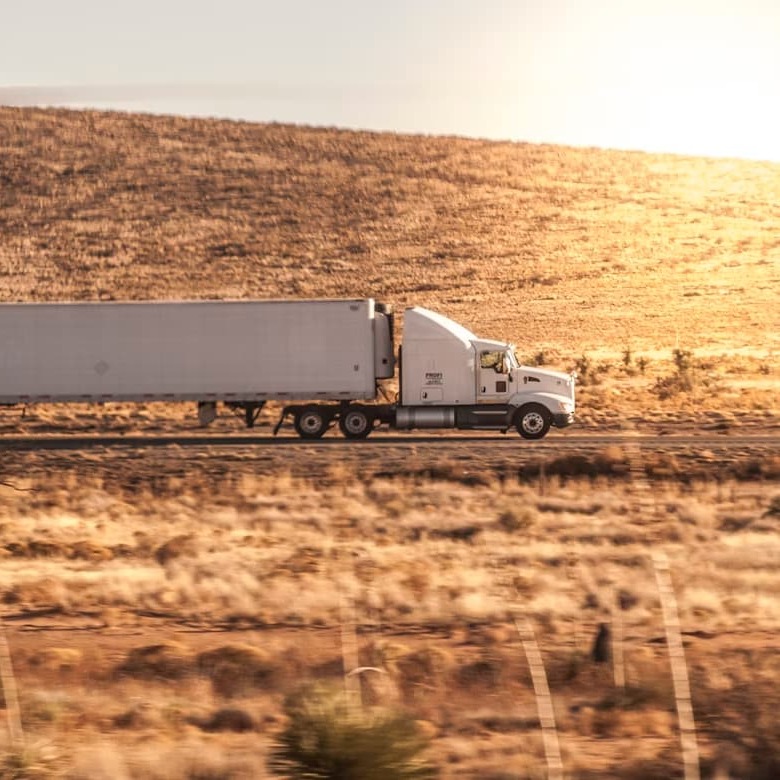
A traffic slowdown appears ahead, cell service drops and there is no sign explaining what happened. Then a nearby driver calls out the hazard over the CB radio, giving others time to slow down or choose another route. Quick exchanges like this are one reason CB radio remains useful on the road.
CB, short for "citizens band," uses 40 shared channels for short-distance voice communication. Drivers can use it to share information about traffic, road hazards, weather conditions or vehicle problems.
Because conversations are public, new operators should listen before transmitting, speak clearly and keep routine messages brief. These habits complement the road awareness and safe driving practices taught through driver education.
Common CB Terms
CB communication includes technical terms, radio shorthand and trucking slang. Some expressions remain common, while others are heard less often today.
10-4
A traditional ten-code meaning that a message was received and understood.
73
Radio shorthand for "best regards," usually used when ending a friendly contact.
88
Traditional radio shorthand for "love and kisses" or "hugs and kisses." It is less common in routine CB conversations.
Base Station
A CB radio installed at a fixed location, such as a home, office or dispatch building.
Bear
Informal trucking slang for a police officer.
Breaker
A word used to request permission to enter a conversation or ask whether the channel is available. A driver might say, "Breaker one-nine."
Channel
A numbered frequency assigned for radio communication. U.S. CB radios provide 40 shared channels.
Clear
A statement indicating that an operator is ending the contact or leaving the channel.
Copy
To receive and understand a transmission. "Do you copy?" asks whether the other operator heard the message.
Dead Key
The carrier power produced by an AM CB radio when the microphone button is pressed but no one is speaking.
DX
Radio shorthand for long-distance communication or a long-distance contact.
Finals
The components in the radio's final amplifier stage that produce its transmitting power.
Good Buddy
Traditional CB slang for a friend or another CB operator. The phrase is less common than it once was.
Hammer Down
To accelerate or continue driving at a brisk pace. It should not be taken as an instruction to exceed the speed limit.
Handle
A nickname used to identify yourself over the radio instead of using your legal name.
Key Up
To press the push-to-talk button on the microphone and begin transmitting.
Mic Gain
A control that adjusts the microphone audio level sent to the transmitter. Excessive mic gain may make speech sound distorted.
Mobile
A CB radio installed in a car, truck or other vehicle.
Over
A signal that the operator has finished speaking and is waiting for a reply.
RF Gain
A receiver control that adjusts sensitivity to incoming radio signals. Lowering RF gain may help reduce interference from strong nearby signals.
Roger
A confirmation that a message was received. It does not necessarily mean that the operator agrees with the message.
Skip
Long-distance communication that occurs when the ionosphere redirects CB signals toward Earth.
Smokey
Traditional trucking slang for a highway patrol officer.
Squelch
A receiver control that mutes background static until an incoming signal exceeds the selected threshold.
Stand By
A request for another operator to wait before transmitting or continuing the conversation.
SWR (Standing Wave Ratio)
A measurement of how well the radio, cable and antenna work together. A reading close to 1:1 is ideal, and lower readings generally indicate a better match.
What's your 20?
A request for another operator's location. The expression comes from the ten-code "10-20."
Setting Up Your Radio
A basic mobile CB system includes a certified CB radio, a compatible antenna, coaxial cable, a suitable mount and a power connection. Follow the manufacturer's instructions for wiring the radio and routing the cable so it does not interfere with pedals, steering components, airbags or other vehicle controls.
Connect the antenna before transmitting. Using the radio without a properly connected antenna can send power back into the radio and damage it.
Check and tune the antenna with an SWR meter or the radio's built-in SWR function, when available. Once the system is installed, choose an active channel and request a brief radio check. Complete any adjustments while parked to avoid distractions. Maintaining attention and anticipating hazards are also central to defensive driving courses.
Choosing a Channel
All 40 CB channels are shared. No operator owns a channel, so listen for ongoing traffic before pressing the microphone button.
Channel 19 is widely monitored by commercial drivers, including long-haul operators, and is commonly used for highway information. Channel 17 is used by some drivers in certain regions, but it is not an official nationwide travel channel.
Channel 9 has a specific purpose. It may only be used for emergency communication or traveler assistance, so it's potentially an important channel for drivers who transport regulated or hazardous cargo. However, emergency messages also receive priority on every CB channel.
Routine transmissions should be direct and reasonably brief. Federal rules generally limit a conversation between stations to five minutes, followed by at least one minute without transmitting on that channel. Emergency and traveler-assistance conversations are exempt from that time limit.
Adjusting the Squelch
A CB radio may produce steady static when no one is transmitting. The squelch control mutes that noise until the radio receives a signal strong enough to pass the selected setting.
The best setting is usually just above the point where the background static disappears. Detailed adjustment steps are covered below.
Calling Other CB Operators
Listen for a moment before making a call. If the channel is clear, press the microphone button, pause briefly and speak in a normal voice. Hold the microphone a few inches from your mouth rather than speaking directly against it.
To call a specific operator, say the person's handle, identify yourself and ask them to come back. For example:
"Roadrunner, this is Newbie. Come back."
Release the push-to-talk button as soon as you finish. CB radios generally cannot transmit and receive at the same time, so holding the button down prevents you from hearing the response.
To enter a general conversation, an operator may say "breaker" followed by the channel number. Wait for someone to acknowledge you before continuing. When the exchange is finished, "clear" tells other listeners that you are leaving the conversation.
Understanding Squelch on a CB Radio
Squelch controls how strong an incoming signal must be before the radio produces sound. Stronger signals pass through, while weaker signals and background static remain muted.
The setting affects which incoming signals can be heard. It does not improve the quality of a distorted transmission or change the radio's transmitting power.
Electrical noise, nearby transmitters, buildings and terrain can change as a vehicle moves, so the squelch may need occasional adjustment.
Adjusting the Squelch Knob
The control may be labeled "Squelch" or "SQL." Turning it clockwise usually blocks more noise and weaker signals. Turning it counterclockwise allows more signals and static through.
Use these steps to find a practical setting:
- Select the channel you plan to monitor.
- Set the volume to a comfortable level where the background static is easy to hear.
- Lower the squelch until static is audible.
- Raise it slowly until the static stops.
- Leave the control close to that point and adjust it again if conditions change.
Some newer radios include automatic squelch control. Manual adjustment offers more control when trying to hear weak signals.
Why the Squelch Setting Matters
Raising the squelch reduces static but may also block weak transmissions. Lowering it allows weaker signals through along with more background noise.
The right setting depends on current conditions. A higher setting may work for strong nearby traffic reports, while weaker or more distant signals may require a lower setting.
Adjusting for Range
Lowering the squelch may reveal a weak or distant transmission, but the adjustment only affects reception. Your radio's signal will continue to travel the same distance.
When a distant operator is difficult to hear, lower the squelch gradually and check that the RF gain has not been reduced. Continue until the signal becomes understandable or the static becomes too distracting.
Finding the Sweet Spot
Squelch settings may need to change as surrounding noise and signal strength change. A quiet highway, crowded truck stop and industrial area can each produce different conditions.
Recheck the setting after changing channels, entering a new area or noticing that expected transmissions are no longer coming through.
CB Radio Antennas: Size, Type and Range Explained
The antenna has a major effect on CB performance. A well-installed and properly tuned antenna helps the radio transmit and receive more effectively.
Antenna length is only one factor. Design, mounting position, surrounding metal, cable condition and SWR also affect performance. A longer antenna often works better than a much shorter model when both are installed and tuned correctly.
Antenna Size and Efficiency
A full-size quarter-wave CB antenna is roughly 8 to 9 feet long. Because that is impractical for many vehicles, mobile antennas often use a coil that allows the antenna to be shorter.
Short antennas can work well for nearby communication, although they are generally less efficient than longer models. A medium-length antenna in a good location may outperform a longer antenna mounted too low or surrounded by vehicle bodywork.
Vehicle clearance also matters. An antenna that repeatedly strikes garages, trees or overhead structures may become damaged or loosen at the mount.
Vehicle Mounting Options
Mounting an antenna near the center of a metal roof generally provides good height and allows the vehicle body to support more even transmission in different directions. Several mounting methods are available:
- A magnetic mount attaches temporarily to a steel surface and can be moved or removed. Aluminum and fiberglass panels require a different mounting setup because a magnet will not attach to them or provide the same electrical connection.
- A permanent roof mount provides a secure connection and good electrical performance, but installation normally requires drilling.
- A hood, fender, mirror or trunk-lip bracket avoids drilling through the center of the roof. Performance depends on its position, electrical connection to the vehicle body, surrounding metal and installation quality.
- A stake-hole or bed mount may suit a pickup truck, though the antenna should extend above nearby bodywork when possible.
Keep the antenna cable away from sharp edges, hot components and moving parts. Loose connectors, damaged cable, corrosion or poor electrical connections can reduce performance.
Consider Where You Drive
Open highways usually provide fewer obstructions than city streets or mountain roads. Buildings, hills, roadside cuts, trees, electrical equipment and other vehicles can weaken or reflect CB signals.
Drivers who mainly need short-range information may be satisfied with a compact antenna. Someone who regularly travels through remote areas may benefit from a longer, more efficient antenna mounted as high and clear as the vehicle allows.
Both radios affect the quality of a conversation. Even a well-installed system may struggle to reach a station with a poorly placed or improperly tuned antenna.
Base Station Antennas
A base-station antenna is commonly installed outdoors on a mast, tower, building or other fixed support. A higher, unobstructed position can improve coverage, but the installation must follow FCC antenna-height limits and local building requirements.
Proper grounding and lightning protection are also necessary. A qualified installer can help when the antenna will be placed on a roof, chimney, mast or tower.
CB Radio Frequency and Range FAQs
Why can't I reach another driver over longer distances?
CB range depends on terrain, interference, antenna performance, installation quality and the equipment used by both operators. Hills, buildings, dense vegetation and electrical noise can weaken a signal.
Check the antenna systems at both ends of the conversation. Damaged cable, loose connectors, a poor mounting position, high SWR or a very short antenna can limit communication.
How do I set the squelch on my CB radio?
Turn the squelch down until you hear static, then raise it slowly until the noise stops. Leave it close to that threshold so that weaker signals still have a chance to open the receiver.
Lower the setting slightly when trying to hear a distant station. Raise it when strong local noise repeatedly opens the radio.
What CB channel has the longest range?
No CB channel has a meaningful built-in range advantage. All 40 channels occupy a narrow frequency range and follow the same power limits.
Channel 19 may appear more effective because more drivers monitor it, increasing the chance of receiving a reply. Channel 9 should remain available for emergencies and traveler assistance.
How can I improve the range of my CB radio?
Begin with the antenna system. Legal and practical improvements include:
- Mounting the antenna as high and clear as the vehicle safely allows
- Checking the coaxial cable and connectors for damage or corrosion
- Measuring and adjusting the SWR according to the antenna manufacturer's instructions
- Improving electrical bonding between suitable metal body panels
- Moving away from strong sources of electrical interference
- Using SSB when both operators have compatible radios and select the same sideband
- Choosing an open location or higher ground when safely parked
- Confirming that both stations have properly installed antennas
U.S. CB radios are limited to 4 watts for AM or FM and 12 watts peak envelope power for SSB. External RF amplifiers are prohibited, so antenna placement, tuning and cable condition are the safest legal ways to improve performance.
Getting the Most from Your CB Radio
Effective CB communication begins with a properly installed radio and an antenna suited to the vehicle. Clear speech, considerate channel use and the right squelch setting help drivers hear and be heard more reliably.
Spend time listening before joining a conversation, practice using the controls while parked and keep each message focused. These habits can help a new operator use CB radio safely and confidently on the road.
Additional Resources
- Personal Radio Services
- 47 CFR Part 95, Subpart D: CB Radio Service
- HF Radio Communications
- Propagation Modeling
- Make a Plan
- CBRS Transmitter Power Limits
- Propagation and Antennas
- Radio Systems Engineering
- 73, Best Regards
- Land Mobile Radio Systems: A Tutorial Exposition
- Antenna Basics
- Production of Electromagnetic Waves